Design with your real components
A Figma-like canvas for your React app. Every layer is your code, your agent edits it through MCP, and every change ships as a pull request.
Between your stack and your agents
Truecanvas runs next to your Next.js app and speaks MCP. Your components render as they are, and the agents you already use can see and edit them.
A design tool where the design is the code
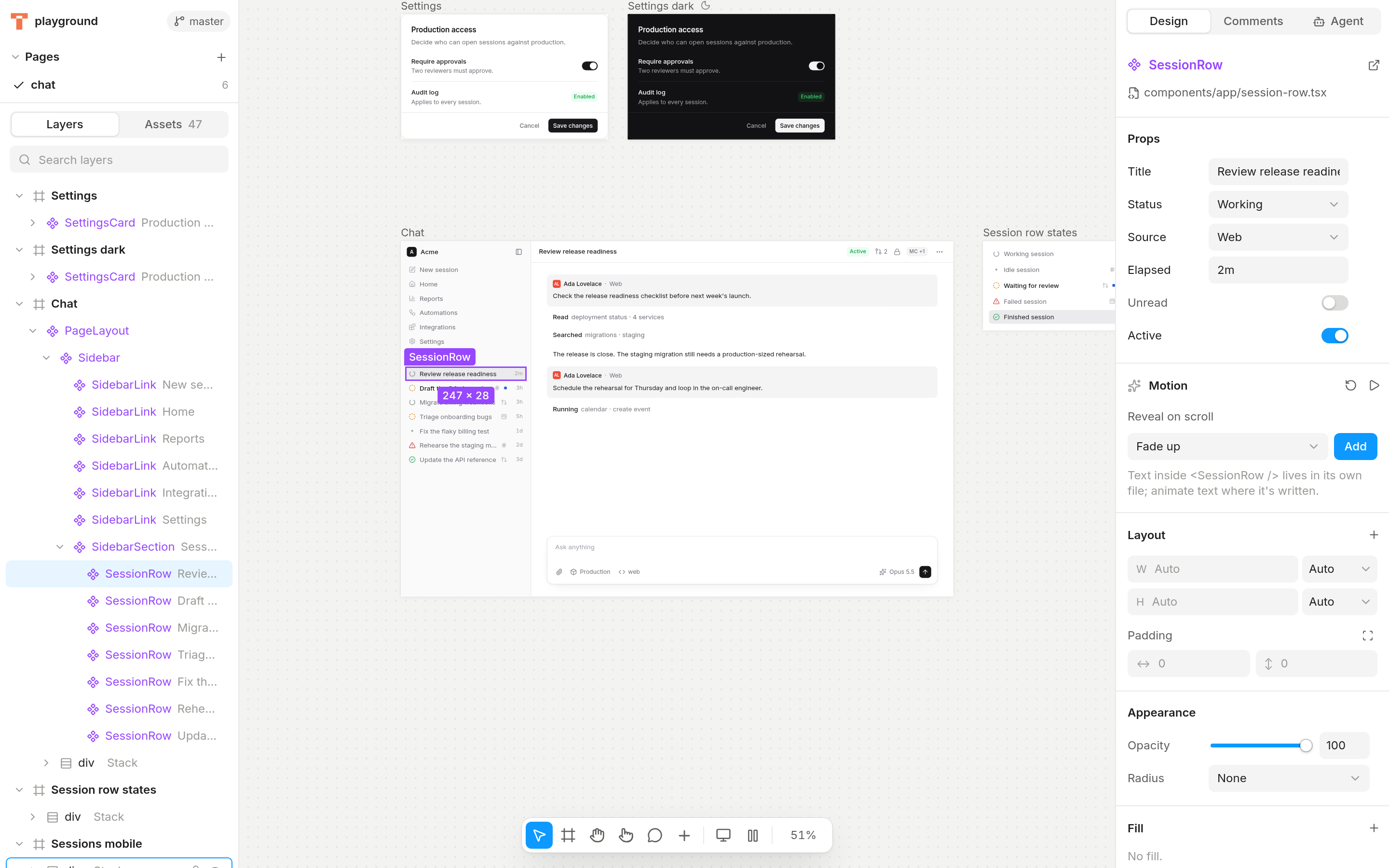
Design tools draw pictures of your product. Someone rebuilds them in code, and the two drift apart. Truecanvas skips the picture: you design with the components you ship.
Two sources of truth. Every change is made twice, and they never quite match.
One source of truth: your repo. What you design is what ships.
Layers are your components
Every layer is a real instance. Props become controls from their TypeScript types, so a status union is a dropdown.
The code is the document
Edits are small patches to your TSX that keep your formatting. Your editor and the canvas stay in sync both ways.
Design on your real pages
Link a page and its layers are your page.tsx. Explore a copy for bold ideas, then apply it back as a clean diff.
Motion and shaders
Scroll reveals, text animations and Paper shaders are components in your repo. Press play on a frame to watch them run.
Running in your app in about a minute.
Needs a Next.js App Router project with Tailwind, and Node 20 or newer. Production builds are untouched.
Run it from your project root. It asks once, then adds a dev dependency, wraps next.config and writes a canvas with your homepage on it.
~/acme-webzsh$ npx truecanvas ◆ Truecanvas v0.1.0 This adds Truecanvas to acme-web: a dev dependency, a wrapper in next.config, a canvas script and a canvas with your homepage. ✓ Wrapped next.config.ts with withTruecanvas() ✓ Added the "canvas" script (npm run canvas) ✓ Ignored /app/truecanvas/ in .gitignore ✓ Canvas folder canvas ✓ Truecanvas added to .mcp.json
Your page is already on the canvas. Linked frames render the real route, desktop and phone side by side. Edits go straight to page.tsx and the components it uses.
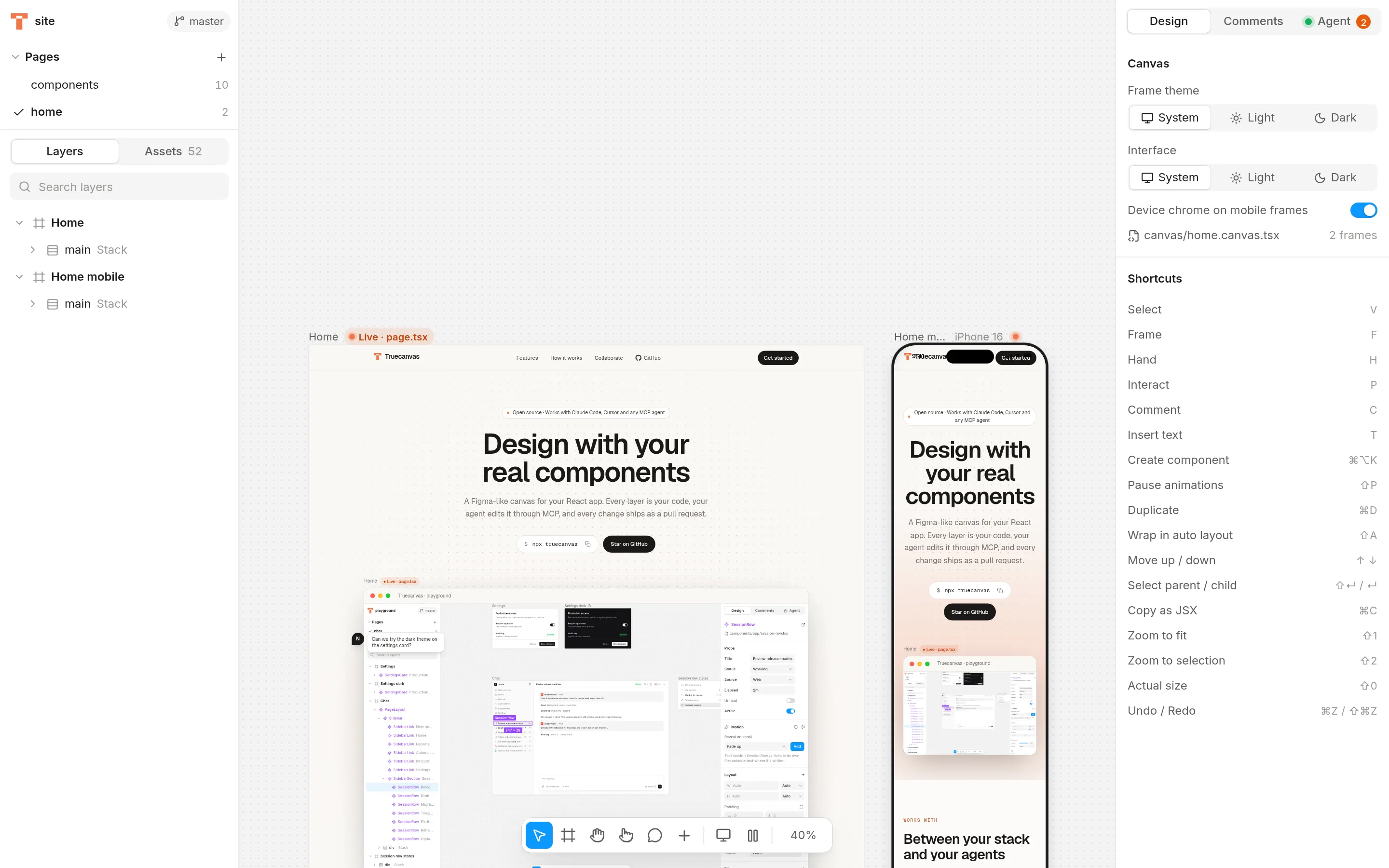
This page, open in Truecanvas. Commit from the Git panel. Every change is listed by frame in plain words, and it suggests a branch so nothing lands on main by accident.
Homedesign/home-hero- Changed h1 text to “Design with your real components”
- Restyled h1 (+text-6xl +tracking-tight -text-5xl)
- Added a fade-up reveal to Features (claude)
Home: restyle the hero, add a revealCommit design changes
Your agent gets the same canvas you do.
Truecanvas is an MCP server with no model inside. Claude Code, Cursor or any MCP client reads your frames, edits the real files and screenshots its own work. Its cursor shows up on the canvas while it does.
get_canvas · get_selection · get_design_tokens · insert_component · insert_jsx · set_text · set_class_name · wrap_nodes · create_variants · add_animation · explore_copy · apply_to_page · screenshot_frame · list_comments · resolve_comment and more
Design review happens in the pull request.
- Canvases are .tsx files.
- Frames, comments and linked pages live in canvas/ next to your code, so they branch and merge like everything else.
- Commit and open the PR from the canvas.
- It renders every changed frame before and after, and writes the description for you.
- Reviewers open the PR in Truecanvas.
- One click checks out the branch and shows the real thing, not an export of it.
Design changes
Made in Truecanvas.
Home home
| Before | After |
|---|---|
Design in the browserA Figma-like canvas for your React app. Every layer is your code.Get started | Open sourceDesign with your real componentsA Figma-like canvas for your React app. Every layer is your code.Get started |
- Changed h1 text to “Design with your real components”
- Restyled h1 (+text-6xl +tracking-tight -text-5xl)
- Set variant to primary on Button
- Added a fade-up reveal to Features (claude)
Built by you, or your agents
Open source and MIT licensed. Runs on your machine next to your app, with nothing to sign up for.
New app? npm create truecanvas